
Month of Volatility Plugins
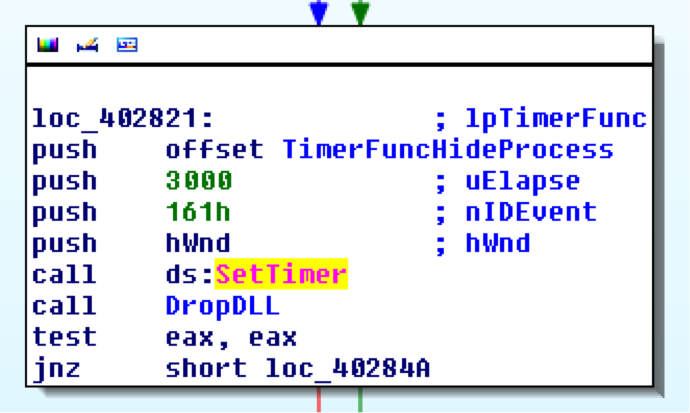
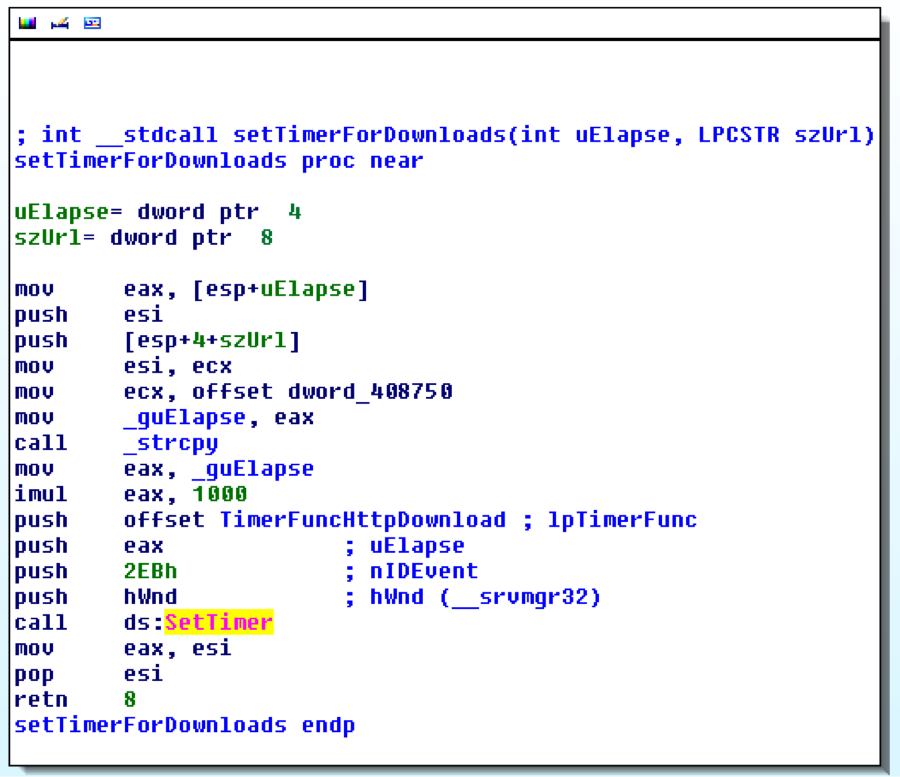
Nearly a year ago, Volatility became the first (and to this date, the only) memory forensics framework to analyze kernel timers for malware analysis. The timers plugin was introduced in two of my older blog posts: ZeroAccess, Volatility, and Kernel Timers and Ain’t Nuthin But a K(Timer) Thing Baby! Today’s MoVP introduces yet another new feature exclusive to Volatility that involves a different type of timer – GDI Timers. These timers can be set from user mode GUI applications and associated with a callback function that executes when the time elapses. As you’ll see in this post, malware often uses these timers to schedule routine downloads, make sure processes stay hidden, and various other tasks that require constant or routine attention.
GDI Timers
The Windows API function SetTimer can be used by GUI applications to receive notification when a specified time elapses. When the timer expires, the system either calls an application-defined callback function (if one is provided as the lpTimerFunc argument) or it posts a WM_TIMER message to the application’s queue. The queue handler would then process the WM_TIMER message and perform the desired action.
From a forensic standpoint, timers are useful because they’re often used in place of simple while loops that use Sleep to perform actions at regular intervals. The difference is that SetTimer leaves obvious artifacts in GUI memory and while loops do not. Specifically, by analyzing timers, you can identify the process ID and thread ID that set the timer, the rate (initial time-out value in milliseconds), the countdown (milliseconds left before the timer expires), the window associated with the timer, and the address of the callback function.
Data Structures
The main structure for a GUI timer is tagTIMER. Microsoft does not document these structures or provide them in PDB files, so small portions were taken from the ReactOS source code and the rest was reverse engineered from win32k.sys binaries. The one shown below is for Windows 7 x64:
>>> dt(“tagTIMER”)
‘tagTIMER’ (None bytes)
0x0 : head [‘_HEAD’]
0x18 : ListEntry [‘_LIST_ENTRY’]
0x20 : pti [‘pointer’, [‘tagTHREADINFO’]]
0x28 : spwnd [‘pointer’, [‘tagWND’]]
0x30 : nID [‘unsigned short’]
0x38 : cmsCountdown [‘unsigned int’]
0x3c : cmsRate [‘unsigned int’]
0x40 : flags [‘Flags’, {‘bitmap’: {‘TMRF_SYSTEM’: 1, ‘TMRF_ONESHOT’: 4, ‘TMRF_RIT’: 2, ‘TMRF_READY’: 0, ‘TMRF_WAITING’: 5, ‘TMRF_TIFROMWND’: 6, ‘TMRF_INIT’: 3}}]
0x48 : pfn [‘pointer’, [‘void’]]
- pti can be used to identify the process and thread that owns the timer
- spwnd is the window associated with the timer (can be NULL)
- nID is the unique ID assigned to the timer (returned by SetTimer).
- cmsCountdown is the number of milliseconds left before the timer expires
- cmsRate is the initial time-out value, in milliseconds. The uElapse argument to SetTimer is copied into this field.
- pfn is a pointer to the callback function (the lpTimerFunc argument to SetTimer). You can disassemble this address to determine what happens when a timer expires.
More information on the gditimers plugin and its usages in forensic investigations will be presented at Open Memory Forensics Workshop (OMFW) 2012.